BastardCam
A second life for a cell phone.
We built BastardCam to turn Android phones into body cameras for our officers. A phone can come off a shelf or straight out of the box. On an officer’s vest, it records the encounter. In Full Sail, the footage becomes part of the incident report.
Why “BastardCam”?
We bastardized cell phones. The camera, microphone, battery and storage were already there. We wrote the software that lets an officer wear the phone, mark a moment during a call and bring the recording back to Full Sail. The name stuck.
An out-of-service phone can record without a SIM or a cellular plan and upload later over Wi-Fi. A brand-new phone works the same way. We use the Samsung Galaxy A17. Other compatible phones need a 64-bit ARM processor, Android 12 or later and a rear camera that records at 1080p. Before issuing a handset, we check its camera angle on the vest, audio, controls, battery and uploads.
From the officer’s vest to the incident report
- Assign the camera
- We pair the handset to an officer with a one-time Full Sail QR code. If the phone changes hands, earlier footage stays associated with the original assignment.
- Record an encounter
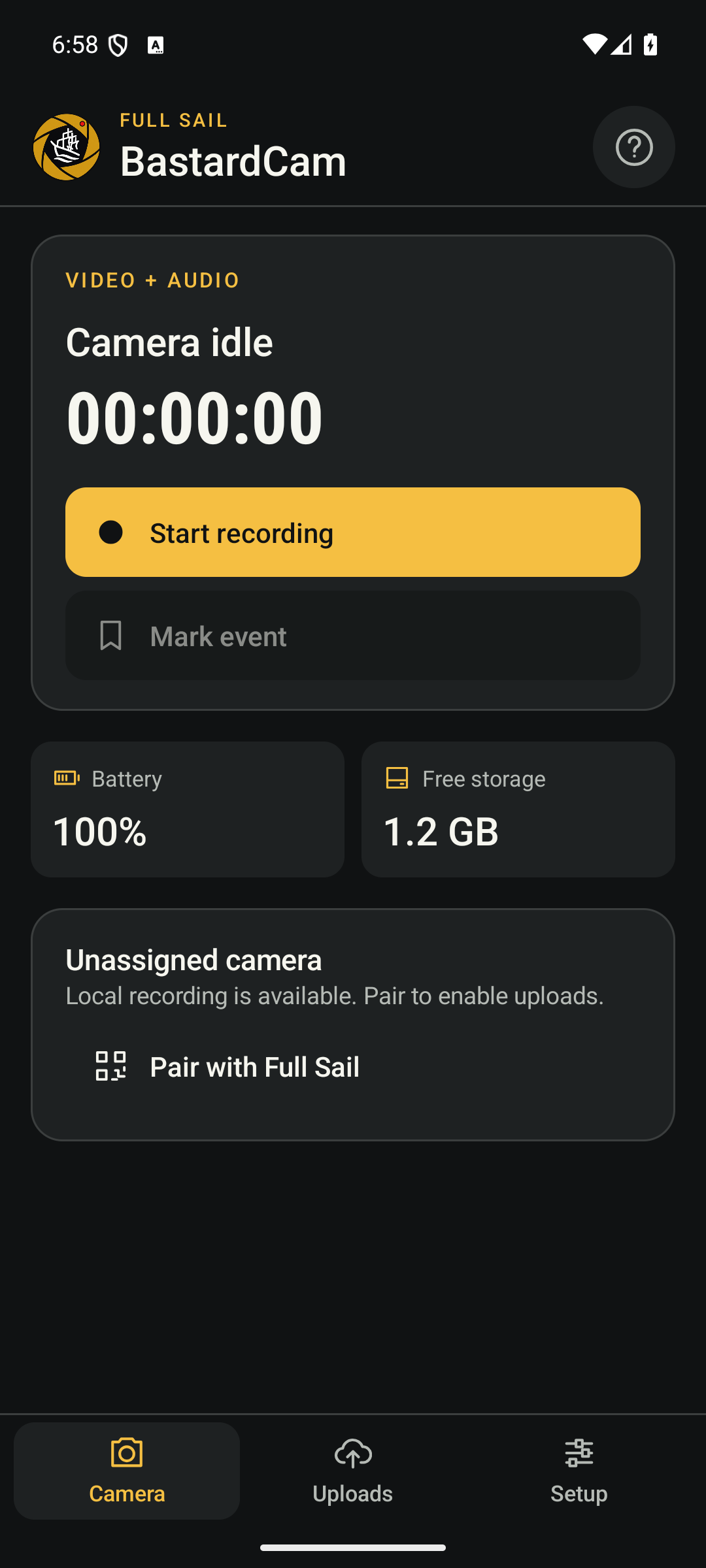
- An officer starts video and audio from the screen or with the volume controls. Sound and vibration confirm the start. Recording continues when the display turns off, and the officer can bookmark a moment without stopping capture.
- Coordinate with dispatch
- On enabled, connected cameras, dispatch can request a recording and check whether the handset confirmed the start. Our optional AI-assisted radio integration can also request a start from an on-duty officer’s assigned camera when it detects a qualifying call.
- Bring the footage back
- The phone saves footage locally during the shift. When it reconnects to an eligible Wi-Fi network, queued uploads can resume after an interruption. Full Sail verifies the uploaded file against the original before it issues a receipt.
- Document what happened
- In My Bodycam, officers can play back their recordings, download an original and attach selected clips to an incident number. Authorized readers can review the footage alongside the officer’s narrative. Full Sail’s video indexing helps them find relevant moments.
- Keep cameras ready for duty
- Officers can check battery, storage and pending uploads on the handset. The app alerts them if critical heat or low storage forces recording to stop. It checks for software updates while idle and charging on unmetered Wi-Fi, so an update waits for the current recording to finish saving.
See BastardCam in Full Sail
Ask us to walk through camera assignment, recording and the report an authorized reader sees.